School bus passes are now available on our app and website
4 years ago

Purchasing a school bus pass has just got simpler with passes now available to buy on our website and app.
Ahead of the school term beginning in September, this new feature means you can purchase a school bus pass in a digital format. Parents and guardians have the ability to gift the ticket their child's app.
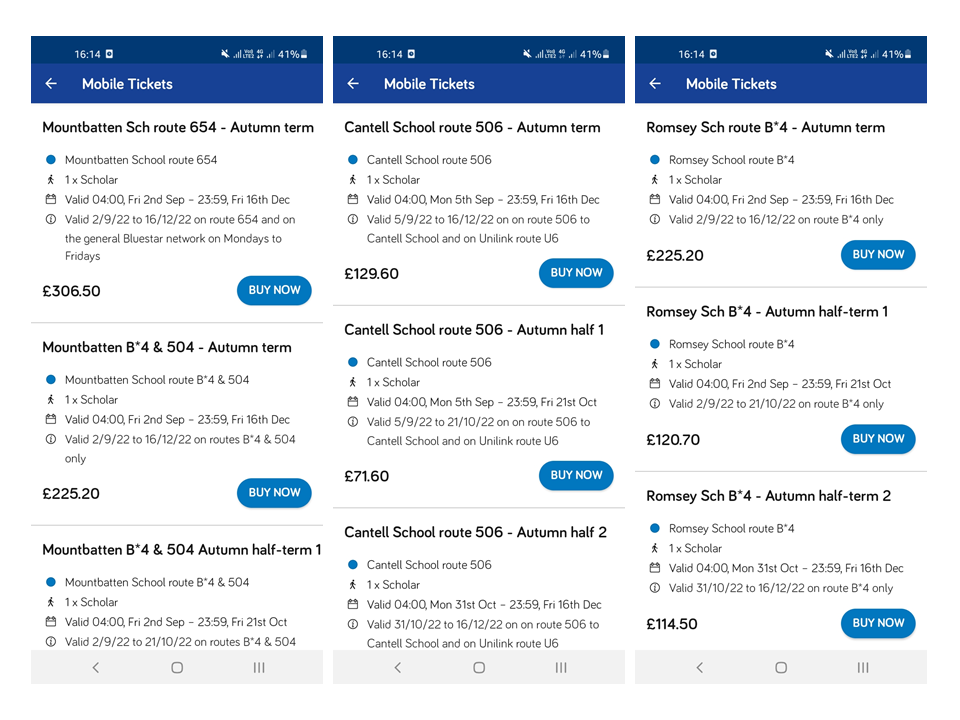
Tickets now available for Cantell School, Mountbatten School and Romsey School.
Cantell School - route 506 and unilink route U6
There are a selection of tickets available to purchased with term tickets and half term ticket choices available.
Please note these tickets are only valid on route 506 and unilink route U6 for Cantell School.
You can purchase your tickets directly on our app or by using your app login details on our tickets page.
Mountbatten School - routes 654, B*4 and 504
There are a selection of tickets available to purchase with term tickets and half term ticket choices available.
Please note that the route 654 only has a full autumn term ticket available while B*4 and 504 has full autumn term and half term ticket choices available.
You can purchase your tickets directly on our app or by using your app login details on our tickets page.
Romsey School - route B*4
There are a selection of tickets available to purchase with term tickets and half term ticket choices available.
Please note these tickets are only valid on route B*4 for Romsey School.
You can purchase your tickets directly on our app or by using your app login details on our tickets page.
Buying a school bus pass
To purchase a school bus pass, follow the below instructions and have the pass in your account in under 10 minutes:
-
Download the Bluestar Bus app or visit our buy tickets section on our website
-
Sign in or create an account (if you are a parent/guardian, do this in your name, or you can set up an account for your child if you wish too)
-
Once an account is created, go to the 'buy your ticket' section within the app or the Buy Tickets section on the website
-
Find the 'school bus passes' section and find the ticket you would like to buy, and go to checkout - you can choose whether to buy a ticket for yourself or send this as a gift to your child
- Once the ticket has been bought, you can activate it to use straight away or you can activate it at a later date
Please note, the school bus passes are in terms and there are different tickets for each term.
Gifting passes on the app
If you would like to gift a student a pass, you can do this via your existing app account. If you don't already have the app, download to your smartphone and create an account to get started.
Within your account, simply navigate to the relevant pass:
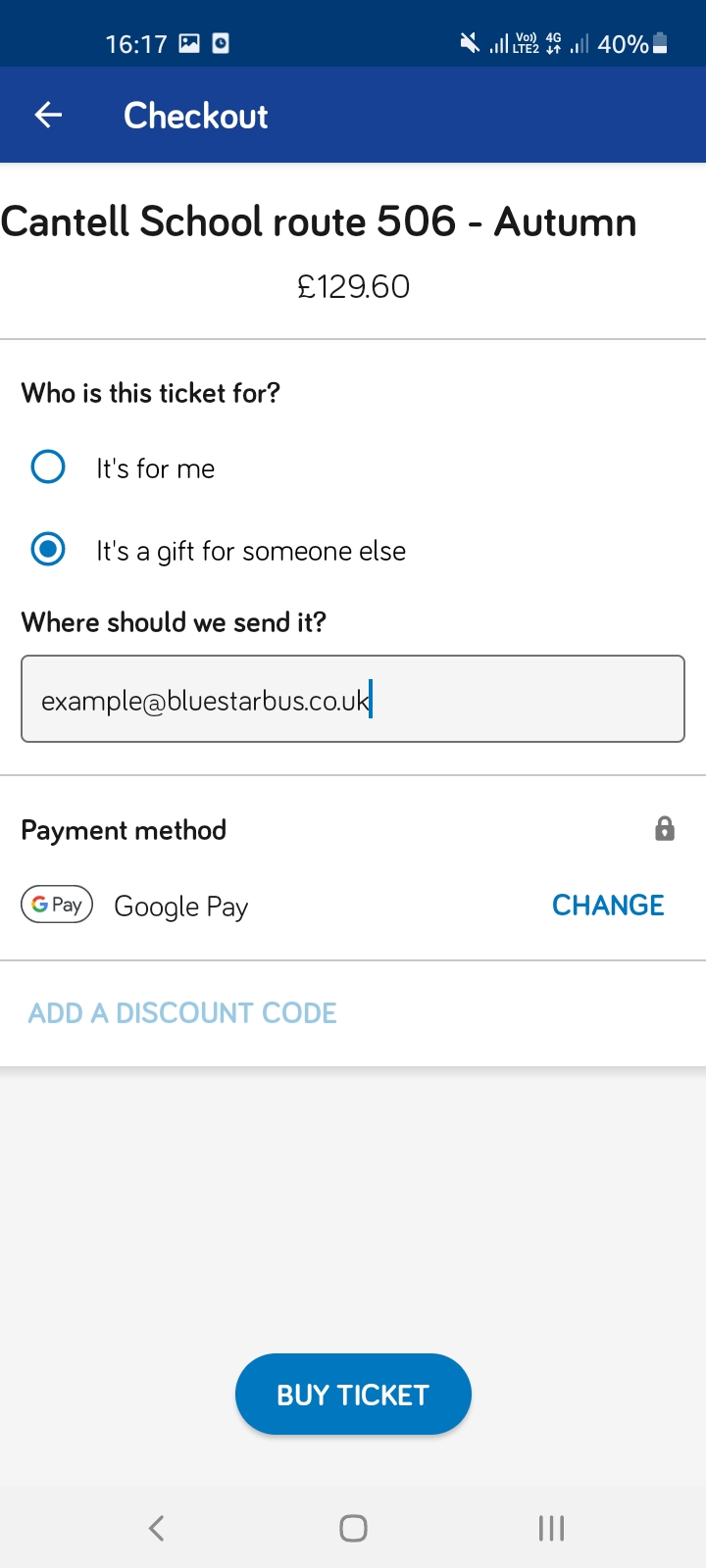
Select 'buy now' and choose the 'it's a gift for someone else' option.
You'll then be asked to enter the email address of the student you're gifting. They must have an app account to receive this. Once you've paid, the pass will show up in the recipient's mobile tickets section on their app menu. Simple!
No data - no problem...
We know many young people don't have unlimited supplies of data.
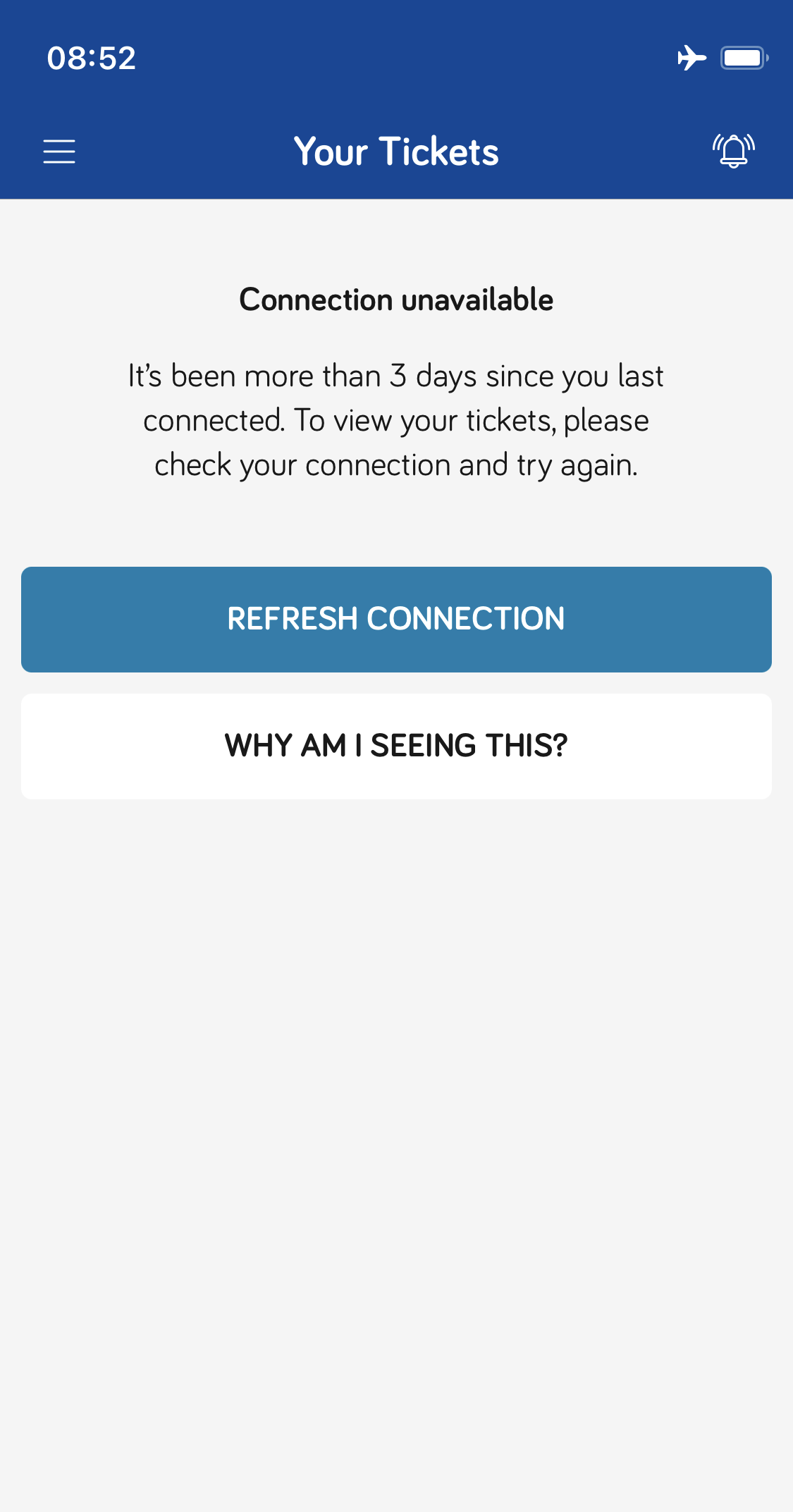
Our app tickets only need to be connected to the internet or 4G every 3 days so they can continue to use their tickets them. If someone needs to reconnect, when you go onto the ticket section it will give you a prompt to connect to use your tickets as per the below.
Stuck or have a question - get in touch with us
Our friendly customer services team will be happy to help you with any enquiries via social media, phone or person between 0800 and 1700 Monday to Friday and in person in the Bargate travel shop between 0930 and 1700 Monday to Friday - get in touch with them today.